![impala long logo dark.png]](https://impala.digital/hs-fs/hubfs/impala%20long%20logo%20dark.png?height=40&name=impala%20long%20logo%20dark.png)
Overview
Impala's Due Diligence templates determine which risk indicators are evaluated — and at what thresholds — when generating a due diligence report for any organization. While Impala provides a default template to get you started, custom templates let you tailor those thresholds to reflect your organization's specific risk tolerance and grantmaking priorities. Once created, a custom template can be applied across any due diligence report in your account, making it easy to evaluate grantees consistently against your own standards.
Custom Due Diligence templates are only available to premium subscribers of Impala's Due Diligence application.
Step 1
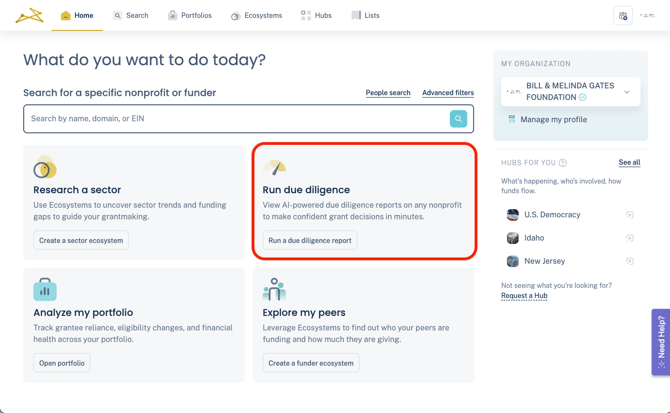
To begin crafting your custom due diligence template, navigate to the Due Diligence section of any nonprofit's profile. You can access this section by using the search bar on your homepage or by clicking on "Run due diligence."
Step 2
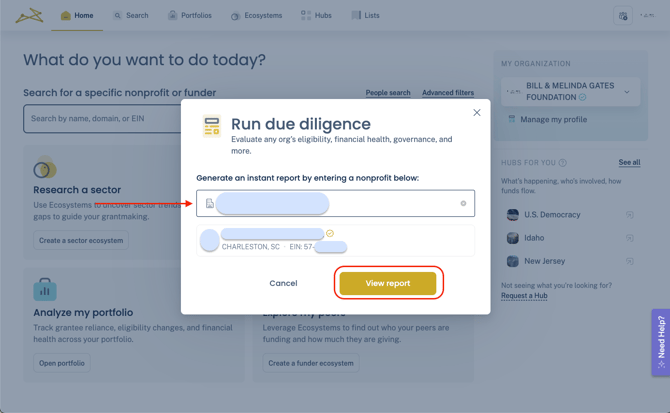
Search for an organization by name, EIN, or website domain and proceed by clicking "View Report."
Step 3
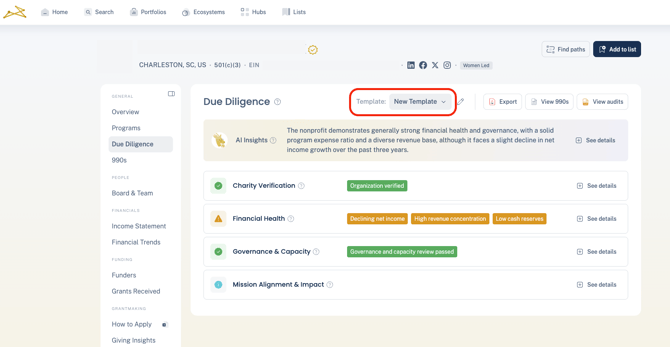
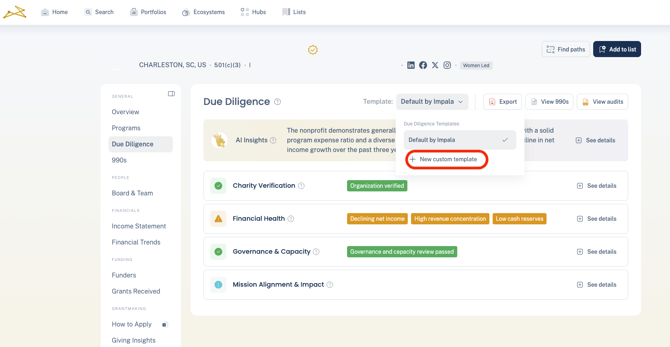
You will be directed to the Due Diligence section of the nonprofit's profile. In the upper right corner, you can see which template is currently active. To create a new template, click the dropdown menu and select "New Custom Template."
Step 4
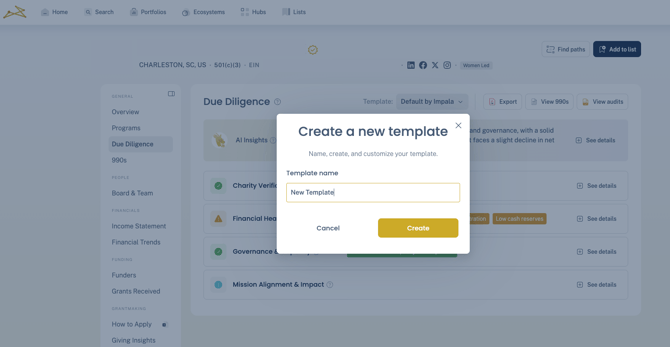
Assign a name to your template and select an existing template as a starting point.
Step 5
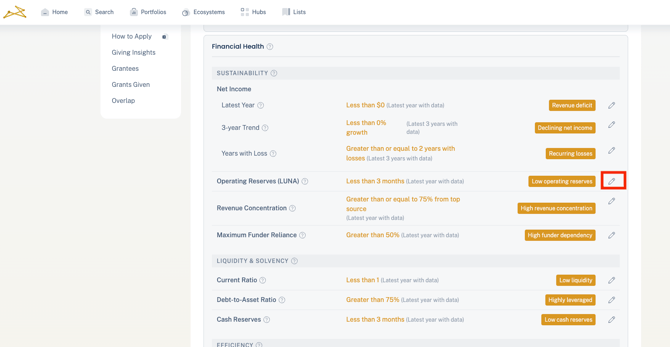
You can now view each data point along with the various risk indicators available. To make changes, click the Edit icon.
Step 6
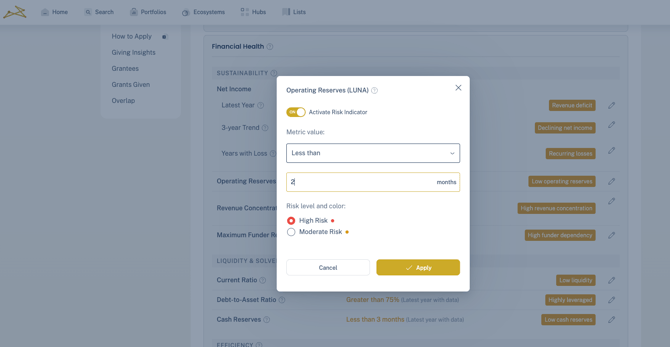
Adjust your indicator activation, threshold, and level (Moderate or High). Click "Apply" to confirm the changes.
Step 7
Review and modify the different data points according to your preferences. All changes are saved automatically. Once completed, Exit edit mode.
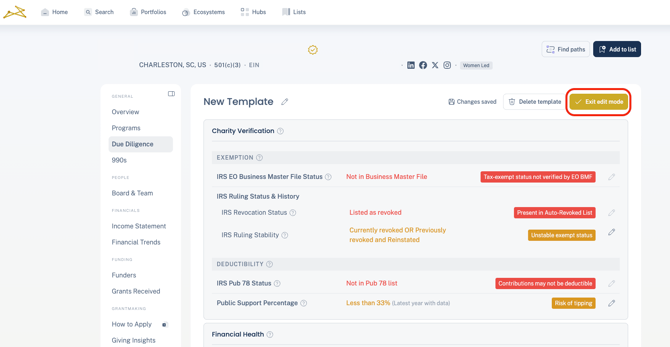
Your new template is now ready for use across any Due Diligence view.