![impala long logo dark.png]](https://impala.digital/hs-fs/hubfs/impala%20long%20logo%20dark.png?height=40&name=impala%20long%20logo%20dark.png)
Sub-Portfolios are available with a premium subscription to Portfolio Analysis.
Step 1: Create your new sub-portfolio base list
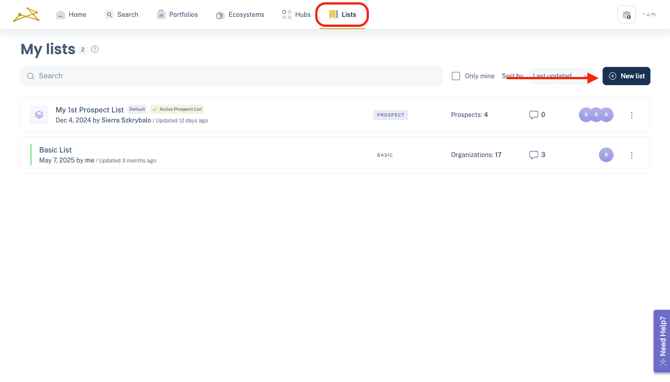
From the Lists section, click the New List button and select the Sub-portfolio type.
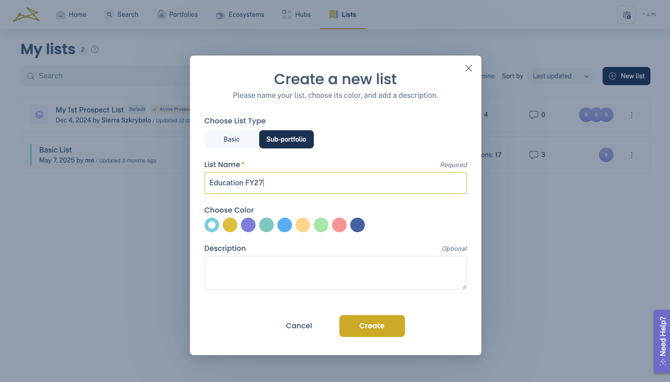
Give your sub-portfolio a name and click Create.
Step 2: Upload your list of orgs
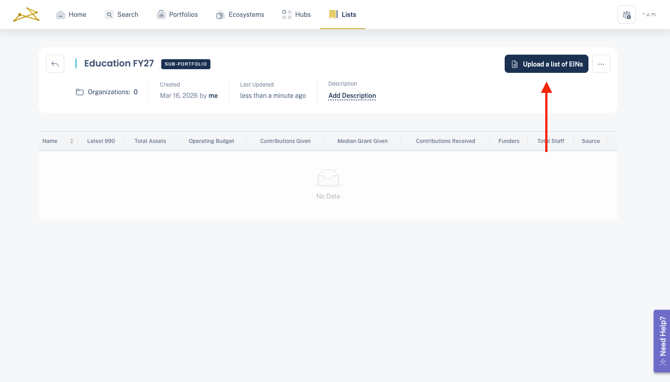
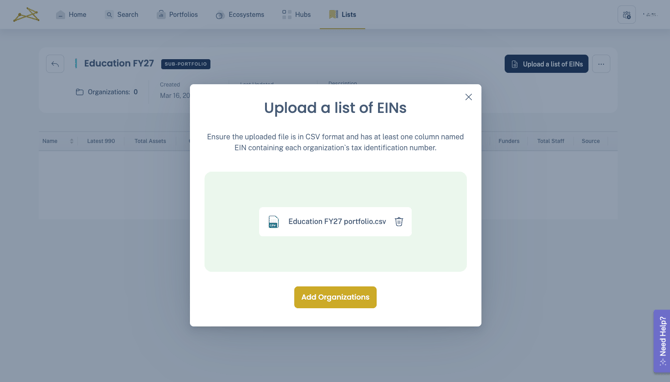
Click into the new sub-portfolio and select Upload a list of EINs.
Select the file you want to upload and click Add Organizations.
Files must be in the CSV format and should contain a single column with a header named EIN followed by the list of each organization's federal tax identification number. If you have questions or need assistance with the file formatting, reach out to support@impala.digital.
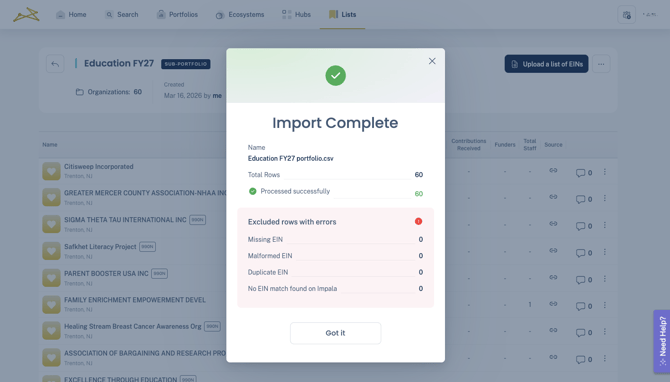
You will get a confirmation message. If there are any errors, you can download a file of the EINs with issues to review.
Step 3: View your sub-portfolio
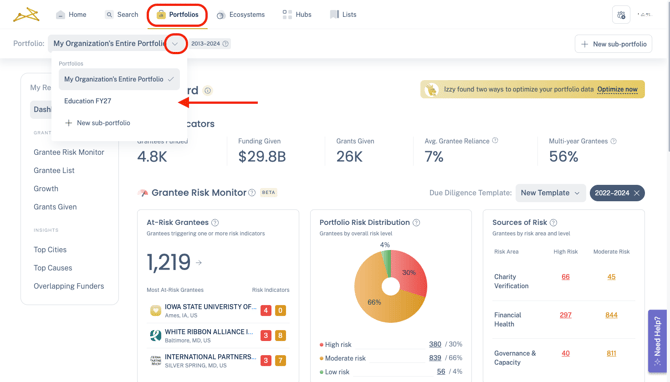
Click into the Portfolios tab. From there, click into the dropdown and select your new sub-portfolio
Step 4: Editing your sub-portfolio
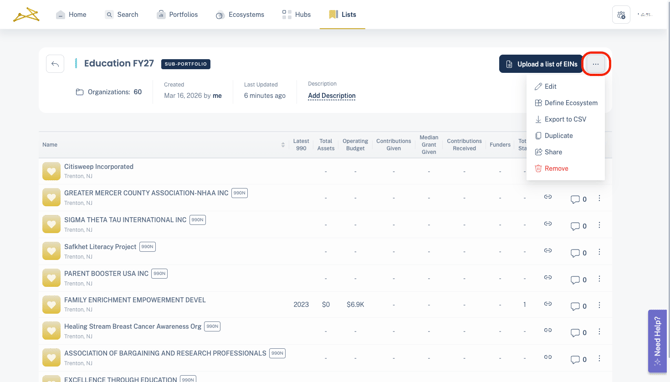
To edit your sub-portfolio's name, head to the main list and click the 3 dots, then select Edit. You can also Remove the list to delete the sub-portfolio.
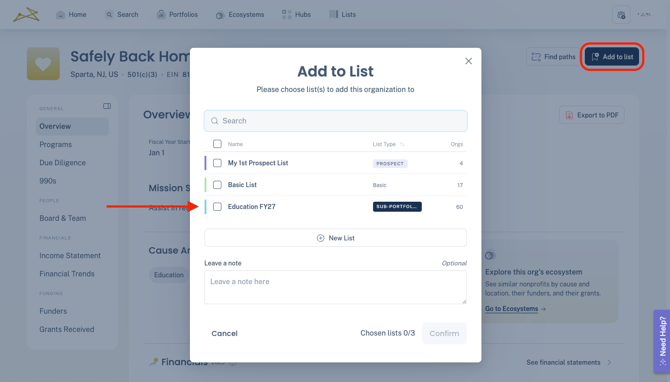
To add more organizations, you can upload another list of EINs, or add organizations individually from any Add to List modal, like in profiles or Ecosystems.
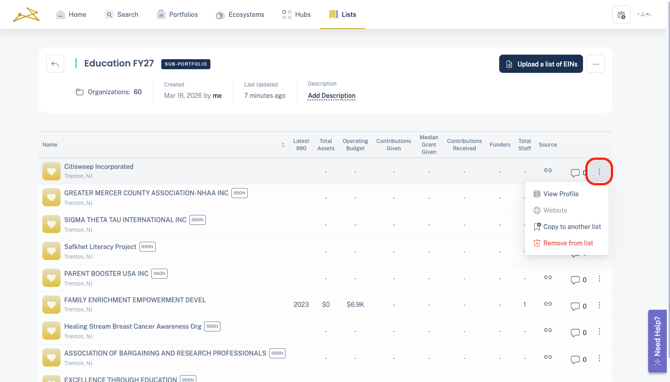
To remove organizations, click the 3 dots of the org in the list, and select Remove from list.