![impala long logo dark.png]](https://impala.digital/hs-fs/hubfs/impala%20long%20logo%20dark.png?height=40&name=impala%20long%20logo%20dark.png)
The Due Diligence application helps grantmakers and philanthropic teams evaluate nonprofits quickly with data-driven insights and board-ready reports. It combines eligibility checks, financial health indicators, governance metrics, and trend analysis so you can make confident decisions without manual research.
Due Diligence is available with a premium subscription and provides adjustable templates, customizable risk indicators, and professional PDF exports.
Step 1: Choose on Organization
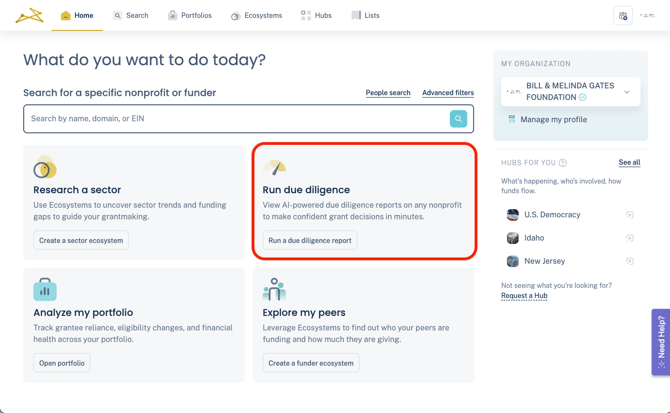
From your homepage, select Run due diligence.
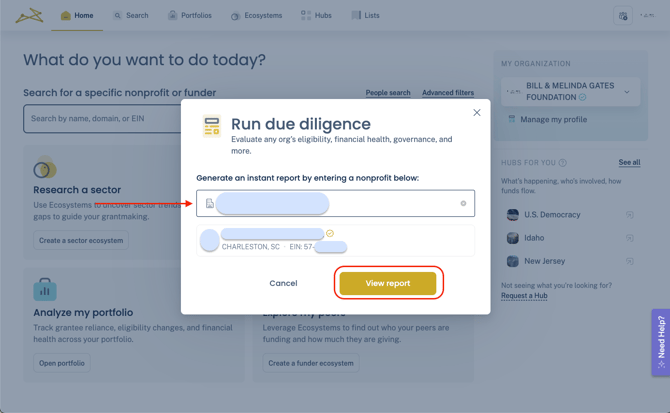
Search for an organization by their EIN, name, or website domain. Then click View Report.
You can also use the main search bar and advanced filters to find an organization's profile and then navigate to their Due Diligence tab.
Step 2: Report Breakdown
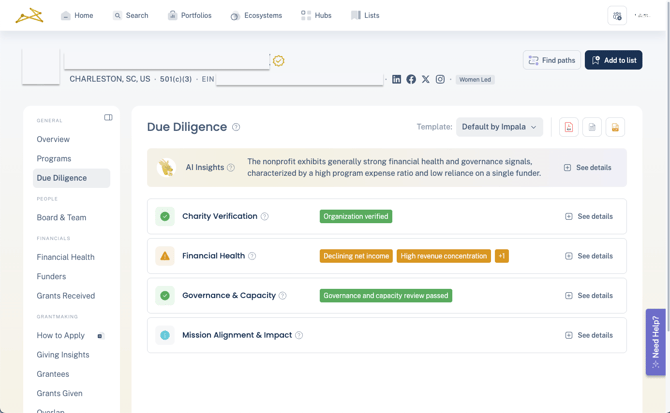
Each Due Diligence report includes an AI insights overview, plus 4 expandable sections of relevant data.
-
Charity Verification: Shows you if an organization is verified to received donations. Highlights include IRS Pub78 and eligibility standings, Public Charity type, and more.
-
Financial Health: Provides financial metrics and trends, including sustainability, liquidity, and efficiency.
- Governance & Capacity: Includes details on staffing, policies, and oversight. This area also contains findings from federal audit files when available.
- Mission Alignment & Impact: Highlights qualitative information, like the organization's Cause Area classification, and website. This area contains more self-reported data than others.
If any data points within a section are triggering a risk indicator, you'll see the summary of them in the collapsed view.
Step 3: Reviewing specific metrics
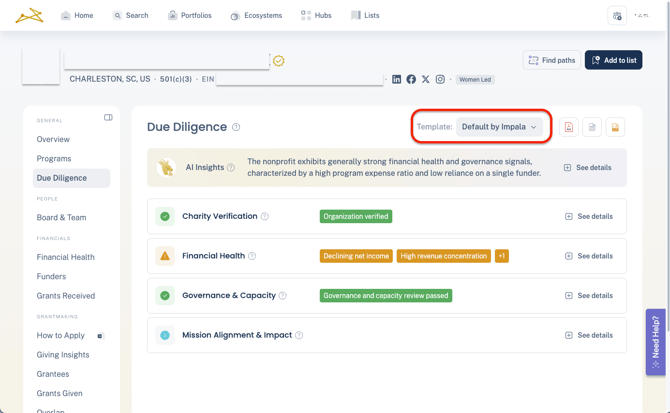
Be sure to confirm the template you want for your risk indicators. If you have not yet created a custom template, the report will show indicators using the Default by Impala template.
Custom templates allow you to adjust risk indicator levels and thresholds. For instructions in creating a custom template, see here.
Click See details expand the view of a section and see all available metrics. Any metrics that are triggering a risk indicator will be colored to represent the level of risk (orange for Moderate, red for High).
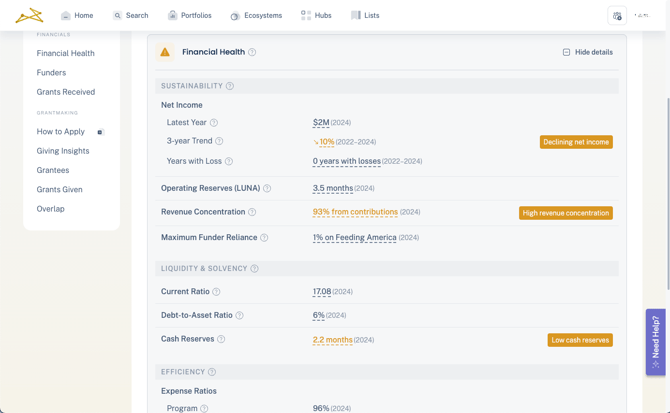
Hover over the ? icon to see a tooltip explaining the meaning of the metric. Or click onto an underlined metric to see more information on the data.
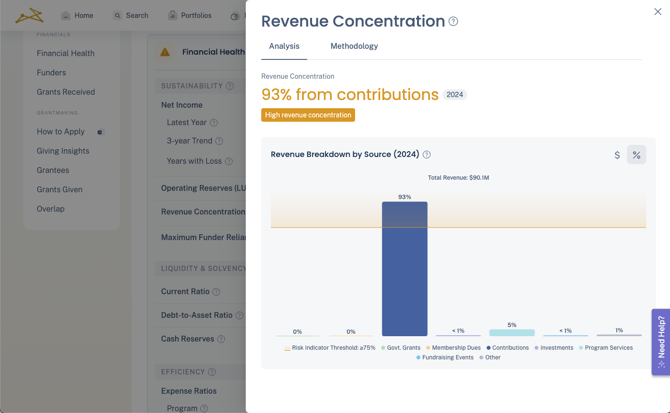
The Analysis tab will show charts relevant to the data point, as well as the current threshold for any assigned risk indicator.
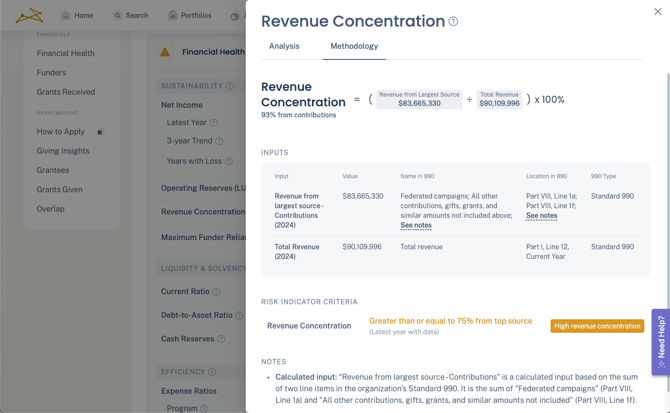
The Methodology tab provides specific details on the 990 source for any data points, and even shows the exact numbers being done for any calculated metrics.
Step 4: Export
To download the report, click the Export option at the top right of the page. In smaller views you'll just see the PDF icon as below.
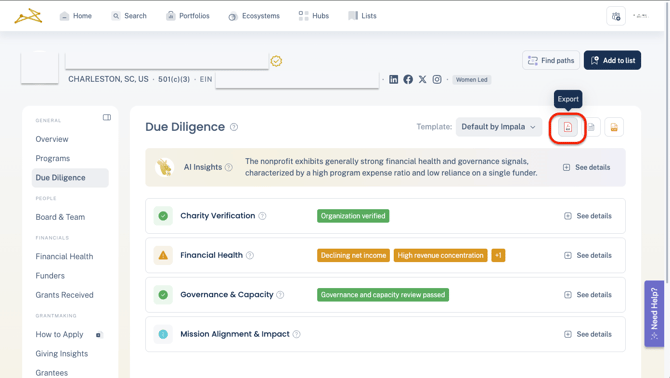
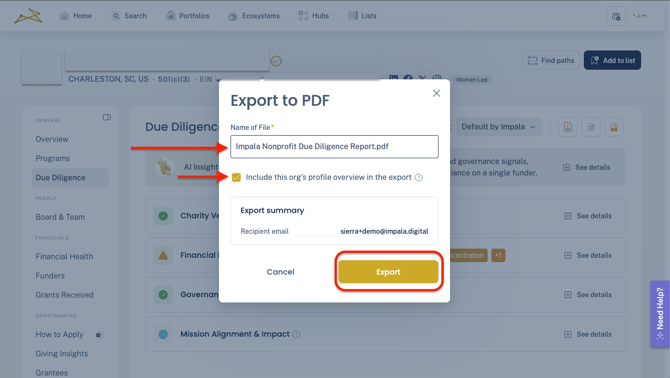
Name the report as you'd liked. Select the toggle if you'd like the report to include the organization's Overview profile page.
Then click Export. The report will be sent via email to the recipient email listed. The email will contain a link to download the report as a formatted PDF, branded and suitable for sharing with your board, compliance team, or colleagues.
Best Practices
-
Adjust templates to match your organization’s risk tolerance before running multiple reviews or exports.
-
Use exports for documentation and cross-team alignment.
-
Pair with Portfolio Analysis to activate the Grantee Risk Monitor and perform Due Diligence on your existing nonprofit partners.
Frequently Asked Questions
Do I need to run the report every time from scratch?
The system automatically updates the report as new financial or audit data becomes available. You will need to re-export a report if you'd like a more recent PDF.
Can I customize what counts as a red flag?
Yes. Risk thresholds are configurable so that your organization’s criteria guide automated red flagging. Instructions for editing these thresholds can be found here.
Is the Due Diligence tool included in all plans?
Due Diligence is available by paid subscription only.